

15 Common Rejection Reasons & How to Fix Them
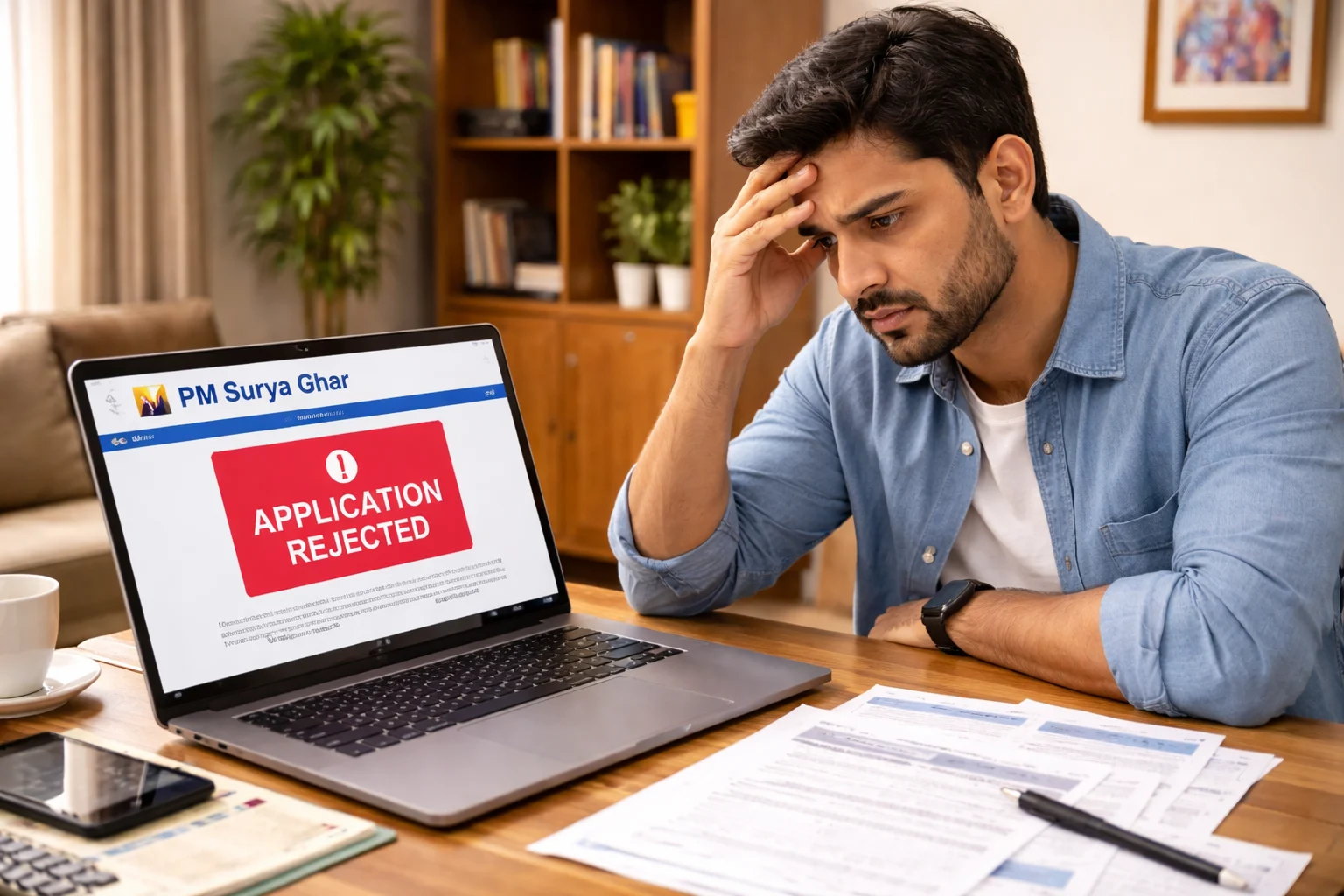
Priya from Bangalore was heartbroken. She installed a beautiful 3 kW solar system on her rooftop for ₹1,75,000, expecting ₹78,000 PM Surya Ghar subsidy. Three months later, her application was rejected with a cryptic message: "System specifications do not match approved feasibility." She discovered her installer had used non-ALMM panels to save ₹12,000—a mistake that cost her the entire ₹78,000 subsidy.
Subsidy rejections are more common than you think. According to MNRE data from January 2026, approximately 12-15% of PM Surya Ghar applications face rejection or require resubmission. Most rejections are preventable if you know the common pitfalls. This comprehensive guide explains every major reason why MNRE solar subsidy applications get rejected, how to fix them if it happens to you, and prevention strategies to ensure your ₹78,000 subsidy gets approved smoothly.
Understanding MNRE Solar Subsidy Eligibility
Before diving into rejection reasons, let's clarify basic eligibility under the PM Surya Ghar Muft Bijli Yojana managed by MNRE (Ministry of New and Renewable Energy).
Basic Eligibility Criteria for PM Surya Ghar
To qualify for MNRE solar subsidy, you must meet ALL of these requirements:
Residential electricity connection: Your electricity connection must be categorized as "residential" or "domestic" by your state DISCOM. This is the most fundamental requirement.
Property ownership or consent: You must either own the property where solar panels will be installed OR have written consent from the property owner if you're a tenant. The consent must be notarized in some states.
Indian citizenship: The applicant must be an Indian citizen with valid Aadhaar card. NRIs and foreign nationals are not eligible.
ALMM-certified solar panels: All solar panels must be from the Approved List of Models and Manufacturers (ALMM) maintained by MNRE. Non-ALMM panels automatically disqualify you.
MNRE-empaneled installer: The installation must be done by a vendor registered and empaneled with MNRE through the national portal. Self-installation by homeowners doesn't qualify for subsidy.
First-time subsidy applicant at this address: You cannot have received any rooftop solar subsidy under any previous government scheme at the same electricity connection address.
Grid-connected system: Only grid-connected systems with net metering qualify. Standalone off-grid systems with batteries are not eligible under PM Surya Ghar.
System capacity range: The system must be at least 1 kW and typically not exceed your sanctioned load (though you can install larger, subsidy is capped at ₹78,000 for 3 kW+).
Aadhaar-seeded bank account: Your bank account must be linked to your Aadhaar for Direct Benefit Transfer (DBT) of subsidy amount.
Proper documentation: You must provide all mandatory documents in acceptable format and quality.
Meeting these criteria doesn't guarantee approval, but failing even one typically leads to rejection.
Who Cannot Apply for Solar Subsidy
Certain categories are explicitly ineligible for MNRE solar subsidy:
Commercial establishments: Shops, offices, restaurants, hotels, factories operating on commercial electricity tariff cannot apply under PM Surya Ghar (separate schemes exist for commercial sector).
Government buildings: Government offices, schools, hospitals owned by government entities have separate subsidy mechanisms and cannot apply as residential consumers.
Previous subsidy recipients: If you received subsidy under any earlier scheme (Grid-Connected Rooftop Solar Phase-I or Phase-II, state schemes, MNRE pilot programs) at the same address, you're permanently ineligible.
Tenants without landlord NOC: If you're renting and don't have written permission from the property owner, your application will be rejected.
Properties with disputed ownership: If there's ongoing legal dispute about property ownership, or property is not registered in your name and you can't prove ownership, you're ineligible.
Non-residential categories: Agricultural connections, mixed-use connections (part residential, part commercial), temporary connections, construction power connections don't qualify.
Systems installed before registration: If you installed solar panels before applying on PM Surya Ghar portal and getting feasibility approval, you cannot claim subsidy retrospectively in most cases.
Understanding these exclusions prevents wasted effort on applications that will inevitably be rejected.
Top 15 Reasons Why Solar Subsidy Gets Rejected
Based on MNRE data, DISCOM reports, and installer feedback, these are the most common rejection reasons ranked by frequency:
1. Non-ALMM Solar Panels (32% of rejections)
2. Document Mismatch Issues (18% of rejections)
3. Previous Subsidy Already Received (11% of rejections)
4. Non-Empaneled Installer Used (9% of rejections)
5. Incorrect System Capacity Declaration (7% of rejections)
6. Commercial Connection Instead of Residential (6% of rejections)
7. Incomplete or Poor Documentation (5% of rejections)
8. Aadhaar Not Linked to Bank Account (4% of rejections)
9. Installation Before Feasibility Approval (3% of rejections)
10. Net Metering Not Completed (2% of rejections)
11. Property Ownership Proof Issues (2% of rejections)
12. System Specifications Don't Match (2% of rejections)
13. Safety and Quality Violations (1% of rejections)
14. Duplicate or Fraudulent Application (0.5% of rejections)
15. State-Specific Issues (remaining 0.5%)
Let's examine each in detail with real examples and solutions.
Reason 1: Non-ALMM Solar Panels
This is the single biggest cause of subsidy rejection, responsible for nearly one-third of all denials.
What is ALMM and Why It Matters
ALMM (Approved List of Models and Manufacturers) is a list of solar panel models that meet MNRE's quality standards. To be on ALMM, manufacturers must:
- Have BIS (Bureau of Indian Standards) certification
- Pass performance testing at NABL-accredited labs
- Submit test reports proving efficiency, durability, and safety standards
- Register with MNRE and pay applicable fees
- Manufacture in India or have approved import licenses
ALMM was introduced to ensure subsidy money goes only to quality products that will actually perform for 25 years as promised. It also promotes domestic manufacturing by favoring Indian-made panels.
Common mistake: Installers use cheaper non-ALMM panels to increase their profit margin. They quote ₹1,75,000 for a system but use ₹1,45,000 worth of non-ALMM panels, pocketing the ₹30,000 difference. You save ₹10,000-15,000 on installation but lose ₹78,000 in subsidy.
Real example: Ramesh from Pune hired a local installer who offered 3 kW installation for ₹1,52,000—₹20,000 cheaper than MNRE-empaneled competitors. The installer used panels from a small Chinese manufacturer not on ALMM list. During DISCOM inspection, the engineer checked panel serial numbers against ALMM database and immediately flagged non-compliance. Ramesh's subsidy was rejected. He had to pay ₹1,52,000 for installation AND lost ₹78,000 subsidy—total loss of ₹2,30,000 compared to if he'd used ALMM panels for ₹1,72,000 and got subsidy.
How to Verify Panel ALMM Status
Before installation:
Step 1: Ask installer for exact panel model number, not just brand. "Waaree panels" is not enough—you need "Waaree Energies WS-375 ALMM" or similar specific model.
Step 2: Visit MNRE's official ALMM list at https://mnre.gov.in or search "ALMM list solar panels India" online. The list is updated quarterly.
Step 3: Cross-check the exact model number. Panel manufacturers often have both ALMM and non-ALMM models. Just because Waaree is on the list doesn't mean your specific Waaree panel model is ALMM-certified.
Step 4: Verify panel serial numbers during installation. Each ALMM panel has a unique serial number. Note down 2-3 serial numbers and cross-verify with manufacturer's database if available.
Step 5: Get written confirmation from installer that panels are ALMM-certified. Include this clause in your agreement: "Installer guarantees all panels are ALMM-certified as of installation date. If panels are found non-ALMM during DISCOM inspection, installer will replace them at no cost or compensate full subsidy amount."
If already installed:
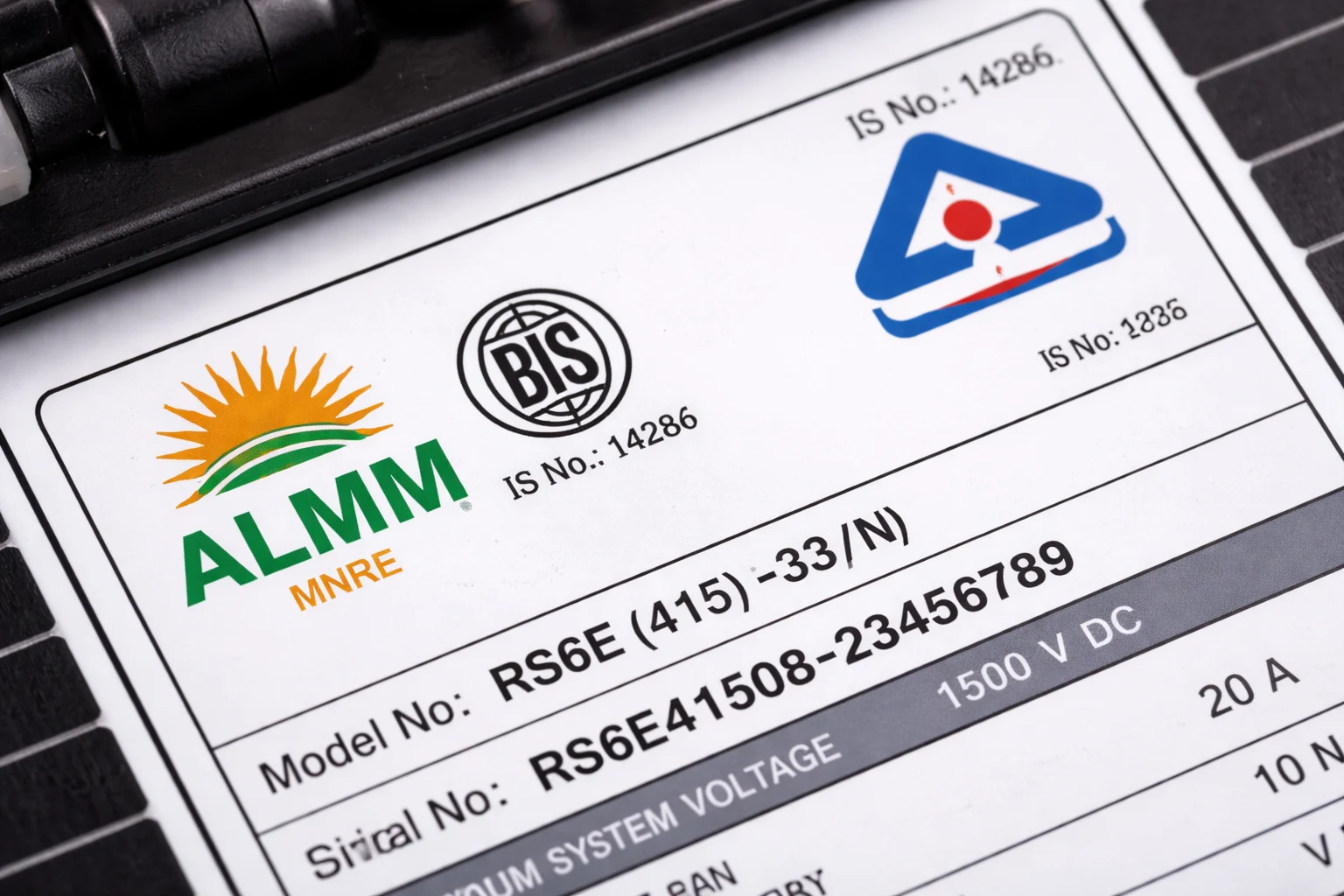
Check the panel nameplates physically. ALMM panels typically have "BIS" logo and certification number printed on the nameplate along with model number. Non-ALMM panels often lack this.
Visit ALMM list online and search for your panel's exact model number. If it's not there, your subsidy will be rejected.
Solution if you have non-ALMM panels:
Before DISCOM inspection: Replace all panels with ALMM-certified ones. Yes, this costs ₹50,000-70,000 for a 3 kW system, but you'll save ₹78,000 in subsidy. Net benefit: ₹8,000-28,000.
After rejection: You can reapply after replacing panels with ALMM ones. Some DISCOMs allow resubmission, others require you to start fresh application. Check your state's policy.
Reason 2: Mismatch in Documents
Document discrepancies cause 18% of rejections. MNRE's automated system flags even minor inconsistencies.
Address Discrepancies Across Documents
The problem: Your Aadhaar card shows "House No. 45, Sector 12, Dwarka, New Delhi - 110075"
Your electricity bill shows "45, Pocket 12, Dwarka, Delhi-75"
Your property tax receipt shows "No. 45, Sect-12, Dwarka, ND-110075"
While these are the same address, the automated matching system sees them as different because formatting differs. Rejection reason: "Address mismatch between Aadhaar, electricity bill, and property proof."
Real example: Sunita from Mumbai faced rejection because her Aadhaar had "Flat 301" while her electricity bill said "3rd Floor, Wing A." Same property, different descriptions. She had to get an address change in Aadhaar to match electricity bill, which took 45 days, delaying her subsidy by two months.
Solution:
Before applying: Compare addresses on Aadhaar, electricity bill, and property documents character by character. If there are differences, get the document with the error corrected BEFORE applying.
Easiest fix: Update Aadhaar address to match electricity bill exactly (visit Aadhaar center with electricity bill as proof). This takes 1-2 weeks.
Submit supporting affidavit: Some states accept a notarized self-declaration stating that addresses in different formats refer to the same property. Cost: ₹500-1,000.
After rejection: Correct the mismatched document and resubmit. Most DISCOMs allow one resubmission within 30 days of rejection without starting fresh application.
Name Spelling Differences
The problem: Your Aadhaar says "Rakesh Kumar Sharma"
Your bank account says "Rakesh K Sharma"
Your electricity bill says "R K Sharma"
Automated systems flag this as different people.
Solution:
Use full name exactly as on Aadhaar in all PM Surya Ghar portal entries. Don't abbreviate middle names.
If electricity bill has abbreviated name, get a name correction letter from DISCOM. Most DISCOMs issue this within 7-10 days for ₹200-500.
If bank account name differs, either get it updated to match Aadhaar (takes 2-3 weeks) or submit name mismatch declaration accepted by some states.
Prevention: When registering on PM Surya Ghar portal, type your name EXACTLY as printed on Aadhaar, character by character, including spaces and punctuation.
Reason 3: Previous Subsidy Already Received
This accounts for 11% of rejections and is one of the hardest to fix because it's usually permanent disqualification.
How MNRE Checks Subsidy History
MNRE maintains a centralized database of all solar subsidy beneficiaries since 2016 when the first nationwide rooftop solar scheme started. The system checks:
Consumer number: Your electricity connection consumer number is the primary key. If this consumer number ever received subsidy under any scheme, you're flagged.
Aadhaar number: Cross-checks whether your Aadhaar has been used for any previous solar subsidy claim anywhere in India.
Property address: Geocodes your address and checks if that location previously received subsidy.
PAN number: In states requiring PAN, it's cross-verified against subsidy disbursement records.
Real example: Vijay bought a house in Bangalore in 2023. The previous owner had installed 2 kW solar with subsidy in 2019. When Vijay applied for PM Surya Ghar subsidy in 2025 to install 5 kW solar, his application was rejected: "Subsidy already availed at this consumer number." The subsidy was tied to the electricity connection, not the person.
Can You Apply Again After Years?
If you received subsidy at the same property/consumer number: No. The rule is "one subsidy per consumer number per lifetime." Doesn't matter if it was 2 years ago or 10 years ago. Even if you've removed the old solar system and want to install new one, you cannot get subsidy again for the same electricity connection.
If you received subsidy at different property: Yes. Subsidy is tied to the consumer number, not to you personally. If you received subsidy for your Delhi home in 2020, you CAN apply for subsidy for your newly purchased Pune home in 2026 because it's a different consumer number.
If previous owner received subsidy: This is tricky. If you bought a property where previous owner got subsidy, technically the consumer number has received subsidy. However, if the previous solar system has been removed/dismantled, some DISCOMs allow new subsidy after verification. It's state-specific—check with your DISCOM.
If you installed solar WITHOUT subsidy previously: You CAN apply. The restriction is only on "subsidy received," not on "solar installed." If you installed 2 kW in 2018 without applying for any subsidy, you can now apply for PM Surya Ghar subsidy for a new 3 kW system (after removing the old one or installing additional capacity).
Solution if wrongly rejected:
If you believe rejection is in error (you never received subsidy but system says you did), file a grievance on PM Surya Ghar portal with proof. Provide: Certificate from DISCOM that no solar subsidy was disbursed to your consumer number, Sale deed showing property purchase date proving you weren't the owner when subsidy was given to previous owner, Affidavit stating you never received any solar subsidy.
Escalate to MNRE helpline (1800-180-3333) and state nodal officer if DISCOM doesn't resolve.
Reason 4: Non-Empaneled Installer Used
Using a non-registered installer causes 9% of rejections.
Importance of MNRE Registration
MNRE empanelment ensures installers meet minimum quality standards, have requisite experience, maintain insurance, and follow safety protocols. Only empaneled installers can generate valid installation certificates that DISCOM accepts for subsidy processing.
Common mistake: Hiring local electricians or non-registered solar companies because they're ₹20,000-30,000 cheaper. They might do a decent installation, but they cannot provide the MNRE-approved installation certificate needed for subsidy.
Real example: Anita from Ahmedabad hired her cousin's electrical contracting firm to install 3 kW solar for ₹1,40,000 (vs ₹1,65,000 quoted by empaneled installers). Installation was completed professionally. But during subsidy application, DISCOM rejected because the installer's MNRE registration number was invalid. Anita couldn't get subsidy. She saved ₹25,000 on installation but lost ₹78,000 subsidy—net loss ₹53,000.
How to Verify Installer Status
Before hiring:
Step 1: Visit https://solarrooftop.gov.in/empanelledvendors
Step 2: Select your state and district
Step 3: See the list of MNRE-empaneled installers in your area. This list is updated monthly.
Step 4: When installer gives you quotation, note down their MNRE registration number (should be on letterhead or quotation).
Step 5: Cross-verify this registration number on the portal. Check registration validity dates—some installers' empanelment expires and they don't renew.
Red flags:
Installer refuses to provide MNRE registration number
Claims "registration is in process" or "we're empaneled but number not updated yet"
Says "subsidy processing can be done through our partner company"—this usually means they're not empaneled themselves
Solution if hired non-empaneled installer:
Before installation completion: Find an empaneled installer willing to take over the project. They'll charge ₹8,000-15,000 to provide installation certificate and handle subsidy documentation. Expensive, but saves your ₹78,000 subsidy.
After installation: Some empaneled installers offer "subsidy processing service" for ₹10,000-20,000 where they inspect your installation, verify it meets standards, and issue certificate in their name. Not all installers offer this, and some DISCOMs don't accept it, but it's worth trying.
File complaint: If the non-empaneled installer misrepresented themselves as MNRE-registered, file consumer complaint for fraud and demand refund or compensation.
Reason 5: Incorrect System Capacity Declaration
Declaring wrong system capacity causes 7% of rejections.
Under-Reporting or Over-Reporting Capacity
Under-reporting: You installed 3 kW but applied for 2 kW subsidy hoping to avoid scrutiny. During DISCOM inspection, they count panels and check inverter capacity. If actual capacity exceeds declared capacity, rejection for "false declaration."
Over-reporting: You installed 2.8 kW but declared 3 kW to get maximum ₹78,000 subsidy (vs ₹76,800 for 2.8 kW). Inspection catches the discrepancy. Rejection for "capacity mismatch."
Real example: Manoj from Delhi applied for 3 kW subsidy but his installer actually installed only 2.7 kW (9 panels of 300W each instead of 10 panels). DISCOM inspection measured 2.7 kW. Rejection reason: "Installed capacity 2.7 kW less than approved feasibility 3 kW." He received only ₹75,600 subsidy (₹60,000 + ₹15,600) instead of ₹78,000. The ₹2,400 difference wasn't worth the hassle, but this shows how strict verification is.
DISCOM Inspection Catches Discrepancies
DISCOM inspectors verify system capacity through:
Panel count and wattage: They physically count panels and check nameplate wattage. 8 panels × 375W = 3 kW. If you have only 7 panels, they calculate 7 × 375W = 2.625 kW.
Inverter capacity: They check inverter rating. If you claimed 5 kW system but inverter is only 4 kW, mismatch is flagged.
Commissioning test: They sometimes measure actual output using solar meter during inspection to verify system is generating claimed capacity.
Solution:
Ensure declared capacity matches actual installed capacity EXACTLY. Don't round up or round down.
If your panels total 2.8 kW, apply for 2.8 kW, not 3 kW (you'll get ₹75,600 instead of ₹78,000, but it will be approved).
If feasibility was approved for 3 kW but you now want to install only 2.5 kW, submit revised application BEFORE installation with updated capacity.
If discrepancy is minor (3.0 kW approved, 2.95 kW installed), some DISCOMs allow it within 5% tolerance. Check your state's policy.
If rejected for capacity mismatch, you can install additional panels to reach declared capacity and request re-inspection. Cost of 1-2 extra panels (₹8,000-15,000) is worth saving ₹78,000 subsidy.
Reason 6: Commercial Connection Instead of Residential
Commercial electricity connections cause 6% of rejections.
Mixed-Use Properties Issues
The problem: Your ground floor is a shop (commercial connection) and first floor is residence (residential connection), but electricity connection is mixed-use or commercial category.
Or you're running a small home-based business (beauty salon, coaching classes, clinic) and DISCOM has categorized your connection as commercial even though you also live there.
PM Surya Ghar subsidy is ONLY for purely residential connections. Commercial, industrial, agricultural, and mixed-use connections don't qualify under this scheme (separate subsidies exist for commercial solar).
Real example: Dr. Sharma from Lucknow runs a clinic on ground floor with residence on first floor. Single electricity connection categorized as "commercial" by UPPCL. He applied for PM Surya Ghar subsidy for 5 kW rooftop solar. Rejected: "Connection category commercial, not eligible for residential subsidy."
Converting Commercial to Residential
Solution:
Check your electricity bill category: Look for "consumer category" or "tariff category" on your bill. It should say "Residential," "Domestic," or "LT-1" (low tension domestic). If it says "Commercial," "LT-2," "Mixed Use," or "Non-Domestic," you're ineligible.
Apply for category change: If your property is genuinely residential but wrongly categorized as commercial, apply to DISCOM for category change. Provide: Residential property tax receipt, Municipal corporation occupancy certificate stating residential use, Affidavit that property is used solely for residential purpose.
Category change takes 30-60 days and may require site visit by DISCOM. Once changed to residential, wait for next bill to reflect new category, then apply for subsidy.
Separate meters: If you have mixed use (shop + residence), consider getting separate meters—one commercial for shop, one residential for living area. Install solar on residential meter and apply subsidy for that. This requires electrical work and DISCOM approvals but is feasible.
If purely commercial: You cannot get PM Surya Ghar subsidy. Explore commercial solar schemes from MNRE or state nodal agencies which offer different incentive structures.
Reason 7: Incomplete or Poor Quality Documentation
Document quality issues cause 5% of rejections.
Missing Mandatory Documents
Common missing documents:
Canceled cheque or bank passbook copy (needed for subsidy transfer)
Property ownership proof (tax receipt, sale deed, or patta document)
Recent electricity bill (older than 2 months not accepted)
Installation photographs showing panels, inverter, and meter from multiple angles
NOC from landlord if tenant, or RWA permission if apartment
Solution:
Before submitting application, go through the checklist on PM Surya Ghar portal. Every mandatory document should have a green checkmark.
If you realize a document is missing after submission, most portals allow uploading additional documents. Do it immediately before DISCOM review begins.
If rejected for missing document, resubmission is usually allowed. Upload the missing document and resubmit within 15-30 days.
Unreadable Scanned Copies
The problem: You scan documents on mobile phone in poor lighting. Text is blurry. DISCOM officer cannot read consumer number or address clearly. Rejection: "Documents illegible, submit clear copies."
Real example: Kavita from Chennai submitted electricity bill scanned from mobile camera with shadow falling across it. Consumer number and address were partially obscured. Rejection took 3 weeks, she had to resubmit clear copy, another 2 weeks for review—total 5-week delay.
Solution:
Use scanner or high-quality mobile scanning app (Adobe Scan, CamScanner, Google PhotoScan) in good lighting.
Ensure text is sharp and readable. Zoom in on scanned document—if you can easily read consumer number, DISCOM can too.
Save documents in PDF format, not JPG if possible. PDF retains quality better.
Keep file size under 500 KB per document as many portals have upload limits, but don't compress so much that quality suffers.
Submit color scans for colored documents (like property tax receipts) so official stamps and signatures are visible.
Prevention: Before uploading, ask a family member to review scanned documents and confirm they can read all details clearly.
Reason 8: Aadhaar Not Linked to Bank Account
Aadhaar-bank linking issues cause 4% of rejections.
DBT Requires Aadhaar Seeding
PM Surya Ghar subsidy is paid through Direct Benefit Transfer (DBT) which requires your bank account to be seeded with Aadhaar. The subsidy transfer literally cannot happen if Aadhaar and bank account aren't linked in the NPCI (National Payments Corporation of India) database.
Real example: Ramesh from Patna completed installation, passed inspection, subsidy was approved. Status showed "Payment Processing." But subsidy never came. After 3 months of follow-up, he discovered his bank account wasn't Aadhaar-seeded. By the time he linked it, the financial year changed and subsidy had to be re-approved under new budget allocation—6-month delay.
How to Link Aadhaar to Bank
Check if already linked:
Send SMS: Type "UIDAI" and send to 51969. You'll receive Aadhaar-linked bank details.
Check bank statement: Recent statements from most banks show "Aadhaar linked" status.
Visit bank portal: Login to net banking, check profile section for Aadhaar linking status.
If not linked:
Visit your bank branch: Carry original Aadhaar card and account passbook/checkbook. Fill Aadhaar seeding form. Bank will update within 3-5 working days.
Through ATM: Some banks allow Aadhaar linking through ATM. Insert card → Services → Aadhaar linking → Enter Aadhaar number.
Net banking: Few banks allow online Aadhaar seeding through internet banking. Check your bank's options.
Solution if rejected: Link Aadhaar immediately and inform DISCOM. They can reprocess subsidy payment once linking is confirmed. Usually doesn't require new application, just update in system.
Prevention: Link Aadhaar to bank account BEFORE applying for PM Surya Ghar subsidy. Verify linking is confirmed before installation to avoid payment delays.
Reason 9: Installation Before Feasibility Approval
Installing before getting approval causes 3% of rejections.
Correct Application Sequence
Proper sequence:
- Register on PM Surya Ghar portal
- Submit feasibility application
- WAIT for feasibility approval (5-15 days)
- ONLY THEN begin installation
- Complete installation
- Request DISCOM inspection
- Receive subsidy
Incorrect sequence:
- Install solar panels first
- THEN try to apply for subsidy
- Rejection: "Installation completed before feasibility approval, not eligible"
Why this matters: Feasibility assessment checks if your property is suitable, if grid can handle solar injection, if your roof is structurally sound. If you install first, you've bypassed this crucial step. MNRE rules state subsidy is only for installations done AFTER feasibility approval to ensure quality and compliance.
Real example: Arun from Hyderabad had a friend who was a solar installer. In December 2025, his friend offered to install 3 kW for ₹1,50,000 immediately as he had extra panels. Arun agreed. Installation completed in January 2026. In February, Arun tried to apply for PM Surya Ghar subsidy. Portal asked for feasibility approval date. He applied for feasibility. During DISCOM visit, inspector saw installation was already complete (cables weathered, panels had dust accumulation). He checked installation date on inverter (most inverters log commissioning date). Found installation was done before feasibility application. Rejection: "Installation predates feasibility approval."
What If Already Installed
If installed without ANY subsidy application ever: You may still be eligible for PM Surya Ghar IF installation was recent (within 3-6 months) and meets all technical criteria. Apply for feasibility and explain situation. Some DISCOMs are flexible if installation is very recent and properly done.
If installed years ago without subsidy: Generally ineligible. The system is not "new" anymore, and subsidies are for new installations to promote adoption.
If you're midway through installation when you learn about subsidy: Stop installation immediately. Complete only structural work, don't commission the system. Apply for feasibility. Once approved, complete electrical commissioning. You might still qualify.
Solution:
Be honest on portal. If there's a question "Installation status," don't claim "not yet installed" if panels are already on roof. DISCOM inspection will catch the lie.
If rejected, accept it as a learning experience. The cost of installation without subsidy is still worthwhile for electricity savings, just not as good as with subsidy.
Ensure you follow proper sequence for any future installations at different properties.
Reason 10: Net Metering Not Completed
Net metering incompletion causes 2% of subsidy rejections.
Subsidy Depends on Commissioning
MNRE subsidy is released only after complete system commissioning, which includes net metering activation. Until net meter is installed and activated, the system is not considered "operational" and subsidy cannot be disbursed.
The sequence:
- Installation complete
- Upload installation certificate
- DISCOM inspection passes
- DISCOM installs net meter (this takes 5-15 days after inspection)
- System commissioned and net metering activated
- DISCOM uploads commissioning certificate
- Subsidy processing begins
If there's delay or issue in Step 4 (net meter installation), subsidy is stuck.
Real example: Deepak from Jaipur completed installation in November 2025. DISCOM inspection passed on November 20. But JVVNL didn't install net meter until January 15, 2026 (nearly 2-month delay due to meter stock shortage). His subsidy was approved in theory but couldn't be disbursed until commissioning certificate after net meter installation. He received subsidy in February 2026, 3 months after installation.
Timeline Issues
Standard timeline: 5-15 days from inspection to net meter installation.
Actual timeline: Can stretch to 30-60 days in poorly performing DISCOMs.
Solution if delayed:
Track status daily on PM Surya Ghar portal. Status should progress from "Inspection Completed" to "Net Metering in Progress" to "System Commissioned."
If stuck beyond 20 days, call DISCOM helpline and quote your application number. Many DISCOMs have dedicated PM Surya Ghar cells.
Visit DISCOM office with inspection approval copy and request expedited net meter installation.
File grievance on PM Surya Ghar portal under "Net Metering Delay."
Escalate to state nodal officer if DISCOM doesn't respond within 30 days. Contact details available on pmsuryaghar.gov.in
Prevention: Choose MNRE-empaneled installers who have good relationships with local DISCOM offices. They can often expedite net metering through their contacts.
Reason 11: Property Ownership Proof Issues
Property documentation problems cause 2% of rejections.
Tenant Without Proper NOC
If you're a tenant, you must have landlord's written consent to install solar panels. Many tenants skip this thinking DISCOM won't check. They're wrong.
What DISCOM checks:
Electricity bill should be in your name
Property tax receipt or sale deed shows who owns the property
If bill is in your name but property ownership document shows different person, they'll ask for NOC
Real example: Meera from Bangalore is a tenant with electricity connection in her name (landlord transferred connection to her 2 years ago). She applied for subsidy. DISCOM asked for property ownership proof. She submitted electricity bill. They asked for property tax receipt or sale deed. She gave her landlord's property tax receipt. DISCOM immediately flagged mismatch: "Property owner is different from applicant." Requested landlord NOC. Meera hadn't told her landlord about solar installation. Landlord initially refused NOC fearing roof damage. After much convincing, landlord gave NOC but process delayed by 45 days.
Solution:
Get landlord NOC BEFORE applying. The NOC should state: Landlord's name and property ownership proof, Permission to install rooftop solar, Confirmation that tenant can claim subsidy benefits, Validity period (should cover installation + subsidy period, minimum 2 years), Notarized signature.
Some states have standard NOC format on their portals. Use that to avoid back-and-forth.
If landlord refuses NOC, you cannot apply for subsidy (though you can still install solar at your cost without subsidy).
Disputed or Unregistered Property
Properties with ownership disputes or those not properly registered in municipal records face issues.
The problem:
Property is ancestral, not formally divided among heirs
Property is purchased but sale deed not registered (only agreement to sell exists)
Property under litigation or court case regarding ownership
Property in cooperative society without proper share certificate
Illegal construction or unauthorized colony without municipal approval
Solution:
Get legal ownership clarified first before applying for solar subsidy. This might involve property registration, mutation in municipal records, or court resolution.
If property is in joint names (husband-wife, siblings), the applicant's name must be on ownership documents. Get all co-owners to sign consent if applying in one person's name.
For cooperative societies, get share certificate and society NOC showing you're eligible to use rooftop.
Some states accept grandfather clause: If you've been residing and paying property tax for 10+ years, tax receipts serve as ownership proof even without registered sale deed. Check your state's rules.
Prevention: Ensure property ownership is clear and documented BEFORE planning solar installation.
Reason 12: System Specifications Don't Match Application
Component mismatch causes 2% of rejections.
Different Inverter or Panel Brand
You applied for subsidy showing Waaree panels and Growatt inverter. During installation, your installer used Adani panels and Luminous inverter (both ALMM/approved brands).
While both setups are compliant, DISCOM flags the change: "Installed components differ from approved application."
Why it happens:
Supply chain issues—installer couldn't source the brand mentioned in application
Installer found better deal on different brand and switched without informing you
You requested upgrade mid-project
Solution:
If you need to change brands after feasibility approval, inform DISCOM BEFORE installation. Submit revised component list. This usually requires 5-10 days for approval but prevents rejection.
If already installed with different brands, explain reason in inspection report. If both old and new brands are ALMM-certified and equivalent quality, many DISCOMs accept it after verification.
If rejected, some states allow resubmission with revised component details and explanation letter from installer.
Prevention: Finalize exact panel model, inverter brand, and all components BEFORE submitting feasibility application. Include clause in installer agreement: "No component changes without written approval from customer and DISCOM."
Lower Capacity Than Approved
You got feasibility approval for 5 kW but during installation decided to install only 3 kW to save money.
Without updating your application, when DISCOM inspects, they find 3 kW installed vs 5 kW approved. Some DISCOMs reject for mismatch. Others reduce subsidy from ₹78,000 (expected for 5 kW) to ₹78,000 (actual for 3 kW)—no financial impact in this case since subsidy caps at 3 kW, but it's still a procedural violation.
Solution:
If you decide to reduce capacity, submit revised application BEFORE installation updating capacity from 5 kW to 3 kW.
If already installed lower capacity, explain to DISCOM during inspection. They'll usually accept if you're getting LESS subsidy than originally approved (not trying to game the system).
If trying to install MORE capacity than approved (3 kW approved, installing 5 kW), you MUST get revised feasibility approval. Installing more without approval can lead to rejection and net metering issues.
Reason 13: Safety and Quality Violations
Safety compliance failures cause 1% of rejections but are serious.
Improper Earthing or Wiring
DISCOM inspectors check safety aspects:
Earthing: System must be properly earthed with resistance below 5 ohms. If earthing is missing or improper, rejection for "safety violation."
Wiring quality: Use of substandard cables, wrong gauge (thickness), improper insulation, or loose connections lead to rejection.
Inverter location: Inverter must be in shaded, well-ventilated area. Installing in direct sunlight or enclosed space leads to failure remarks.
Panel mounting: Mounting structure must be sturdy, properly anchored to roof with appropriate load distribution. Flimsy or improper mounting gets flagged.
Surge protection: Lightning arrestors and surge protection devices should be installed, especially in areas prone to thunderstorms.
Real example: Suresh from Bhopal had solar installed by a budget contractor. During DISCOM inspection, engineer found: No proper earthing (installer used a simple rod, didn't measure earth resistance), DC cables exposed to weather without UV protection, Inverter installed in direct sunlight.
Rejection: "Installation does not meet safety standards." Suresh had to spend ₹12,000 to fix all issues (proper earthing kit ₹5,000, cable replacement ₹4,000, inverter relocation ₹3,000) and request re-inspection.
Non-BIS Certified Components
Apart from ALMM for panels, other components should also have BIS certification:
Inverters: BIS certification mandatory
Cables: Should meet IS specifications
Junction boxes: BIS certified
Mounting structure: Should use IS-grade aluminum or GI
Using cheap imported components without BIS certification can lead to rejection.
Solution:
Hire reputable MNRE-empaneled installer who follows safety standards. Don't cut corners on safety components to save ₹5,000-10,000.
Before final payment to installer, have an independent electrical engineer inspect the system for safety compliance (costs ₹2,000-4,000, worth it for ₹78,000 subsidy).
If rejected for safety issues, fix all flagged problems and request re-inspection. Most DISCOMs allow one free re-inspection within 30 days.
Prevention: Include safety compliance clause in installer agreement. Many MNRE-empaneled installers provide safety compliance certificate after installation.
Reason 14: Duplicate or Fraudulent Application
Fraud detection causes 0.5% of rejections but carries serious consequences.
Multiple Applications Same Address
The system flags if multiple applications are submitted for the same consumer number or address.
Common scenarios:
You applied and got rejected. Without withdrawing first application, you applied again with different details. System detects duplicate.
You and your spouse both applied for the same rooftop thinking more applications increase chances. Both get rejected for duplication.
Previous owner applied but didn't complete installation. You purchased property and applied. System sees two applications for same address.
Solution:
Always withdraw or formally close previous application before reapplying.
Only one household member should apply for one electricity connection.
If previous owner's application is pending, get it withdrawn or escalate to DISCOM showing you're new owner.
Fake Documents Detection
MNRE and DISCOMs use document verification systems:
Aadhaar verification through UIDAI API (fake Aadhaar detected instantly)
Electricity bill cross-check with DISCOM database (fake bills caught)
Property document verification with municipal corporations (forged tax receipts flagged)
Bank account verification through NPCI (fake account details rejected)
Attempting fraud leads to: Permanent blacklisting from all MNRE schemes, Legal action under IT Act and fraud laws, Installer de-empanelment if involved in fraud.
Real case: In Maharashtra 2024, a fraud racket was busted where agents were submitting fake applications using poor people's Aadhaar (with promise to share subsidy 50-50) and installing cheap non-ALMM panels. Over 200 applications were rejected and FIRs filed. Several installers lost MNRE empanelment.
Prevention: Never attempt to game the system with fake documents. Never let agents "handle everything" without your direct involvement. Always verify your application details personally.
Reason 15: State-Specific Issues
Various state-level problems cause the remaining 0.5% of rejections.
DISCOM Delays or Non-Cooperation
Some DISCOMs are slow or uncooperative:
Inspection scheduled but engineer doesn't show up for weeks
Commissioning certificate not uploaded despite completion
DISCOM portal not syncing with national PM Surya Ghar portal
Unexplained delays with no response to queries
Solution:
Document all communication with DISCOM (emails, call records, SMS)
Escalate to state nodal officer after 15 days of unexplained delay (contacts on pmsuryaghar.gov.in)
File formal grievance on PM Surya Ghar portal
Tweet to Chief Minister's office or Power Minister tagging DISCOM account (social media escalation often works)
Contact MNRE helpline 1800-180-3333 for persistent DISCOM issues
Portal Technical Errors
Technical glitches can cause issues:
File upload failures that mark documents as missing
Portal timeouts during submission causing data loss
Incorrect auto-fill of consumer details from DISCOM database
Browser compatibility issues (some portals work only on Chrome)
Solution:
Use Chrome browser on desktop/laptop, not mobile, for application
Take screenshots at every step as proof of submission
Save application as draft frequently to avoid data loss
If portal error causes rejection, file technical grievance with screenshot evidence
Some states have alternative submission methods (email, physical forms) for genuine portal failures
Prevention: Don't wait till last minute. Apply 2-3 weeks before any deadline so technical issues can be resolved.
How to Fix Rejected Applications
If your application gets rejected, don't panic. Many rejections are fixable.
Reapplication Process
Check rejection reason: Log in to PM Surya Ghar portal and check exact rejection reason. It's usually specific: "Non-ALMM panels detected" or "Aadhaar-bank linking failed."
Fix the root cause: Address the specific issue. Replace non-ALMM panels, correct document mismatch, link Aadhaar to bank, get missing NOC, etc.
Resubmission vs new application:
Some states allow "resubmission" where you update documents/information in same application
Other states require "new application" after withdrawing rejected one
Check your state's policy on portal or call DISCOM
Timeline: Reapplications usually process faster (15-30 days) as feasibility is already done. Focus is on addressing the specific rejection reason.
Maximum attempts: Most states allow 2-3 attempts. After 3 rejections for same issue, you may be barred from applying for 6-12 months.
Escalation Procedures
If rejection seems unfair or is due to DISCOM error:
Level 1 - DISCOM grievance cell: File complaint on DISCOM portal or call helpline. Response expected in 7-10 days.
Level 2 - State nodal officer: Contact state's PM Surya Ghar nodal officer. Details available at https://solarrooftop.gov.in/grid_state/stateWiseContactDetails
Email them with: Application number, Rejection reason, Why you believe rejection is incorrect, Supporting documents.
Level 3 - MNRE helpline: Call 1800-180-3333 (toll-free) or email grievance-mnre@nic.in with details.
Level 4 - PM Surya Ghar portal grievance: Use the formal grievance mechanism on pmsuryaghar.gov.in. Grievances are tracked and require response within 30 days.
Level 5 - Social media/public grievance: Tag your state CM, Power Minister, and MNRE on Twitter explaining issue. Government monitors social media complaints.
Level 6 - Consumer court: For genuine cases where you've been wrongly denied subsidy despite meeting all criteria, file complaint in consumer forum. Legal route, takes time, but effective for clear-cut cases.
Keep records: Maintain copies of all documents, application screenshots, rejection notice, communication with DISCOM, and proof of addressing rejection reason. This evidence is crucial for escalation.
Prevention Tips: Avoid Rejection Before Applying
1. Triple-check eligibility: Confirm you meet ALL criteria before investing in installation.
2. Verify installer empanelment: Only hire MNRE-registered installers. Cross-verify registration number on official portal.
3. Confirm ALMM panels: Get written guarantee from installer that panels are ALMM-certified. Verify on MNRE ALMM list before installation.
4. Match documents exactly: Ensure name, address, and details are identical across Aadhaar, electricity bill, bank account, and property papers.
5. Link Aadhaar to bank: Do this 2-3 weeks before applying and confirm linking is successful.
6. Follow sequence: Register → Feasibility approval → Installation → Inspection → Subsidy. Never skip steps.
7. Quality documentation: Submit clear, readable scans of all documents. Use proper scanner or high-quality scanning app.
8. Double-check application: Before final submission, review every field. One typo in consumer number or Aadhaar can cause rejection.
9. Maintain communication: Respond promptly to any DISCOM queries or requests for additional information.
10. Use reputable installers: Pay slightly more for experienced, highly-rated MNRE-empaneled installers rather than cheapest option. Their expertise prevents rejections.
11. Read state guidelines: Each state has specific additional requirements. Read your state's PM Surya Ghar guidelines on solarrooftop.gov.in
12. Don't rush: Take time to ensure everything is correct. A few extra days of preparation can prevent months of delay from rejection.
Conclusion
MNRE solar subsidy rejections are frustrating but mostly preventable. The top three causes—non-ALMM panels, document mismatches, and previous subsidy—account for 61% of all rejections. By using only ALMM-certified panels from MNRE-empaneled installers, ensuring perfect document alignment, and verifying subsidy eligibility beforehand, you can avoid most common pitfalls.
If your application does get rejected, address the specific issue methodically and reapply. Most rejections are fixable except previous subsidy receipt and commercial connection category. The ₹78,000 PM Surya Ghar subsidy is worth the extra effort to get documentation and process right.
Ready to apply correctly the first time? Verify your eligibility, choose MNRE-empaneled installers, confirm ALMM panel certification, align all documents, and follow the proper application sequence on pmsuryaghar.gov.in. Thousands of Indian homeowners successfully receive subsidy every week by following these guidelines—you can too.


